Making a content change, waiting a few weeks, and checking if traffic went up isn't real validation. Traffic is a lagging signal that can be affected by dozens of things unrelated to what you changed — it tells you very little about whether the specific optimization worked.
The validation loop we use is more precise than that. Different actions produce different signals on different timelines, and knowing which signal to check, and when to check it, is what separates a real measurement from a guess.
This is the fourth piece in our series on AI search visibility for Webflow sites. The first three covered how to track AI visibility, how to turn that data into weekly priorities, and the nine specific actions we take to improve it. This one closes the loop.
Set the Baseline Before You Change Anything
Measurement without a baseline is just looking at numbers. You need a record of where things stood before the change so you have something to compare against.
Before touching any page, we capture three things.
First, the current query report for that page in GSC. Go to the page's performance report, apply the regex filter (\w+\s){3,}\w+, and record which long-tail queries are appearing and what impressions they are getting. A screenshot works. A note of the date works. The point is to have a fixed reference point before the page changes.
Second, the current citation state. Search two or three of the page's target queries in incognito and note whether the page is being cited in AI Overviews or not. If it is being cited, note where in the AI Overview it appears. This becomes the before state for the manual citation check you will do after the window closes.
Third, the Bing citation count. In Bing Webmaster's AI Performance dashboard, note the current number of cited pages and total citations before making any changes.
The baseline does not need to be elaborate. A date, a screenshot of the query report, and a note on citation status is enough. What matters is having it, because without it you cannot tell whether the signals that appear after the change represent real movement or just the normal state of the page.
The Three Signals That Actually Matter
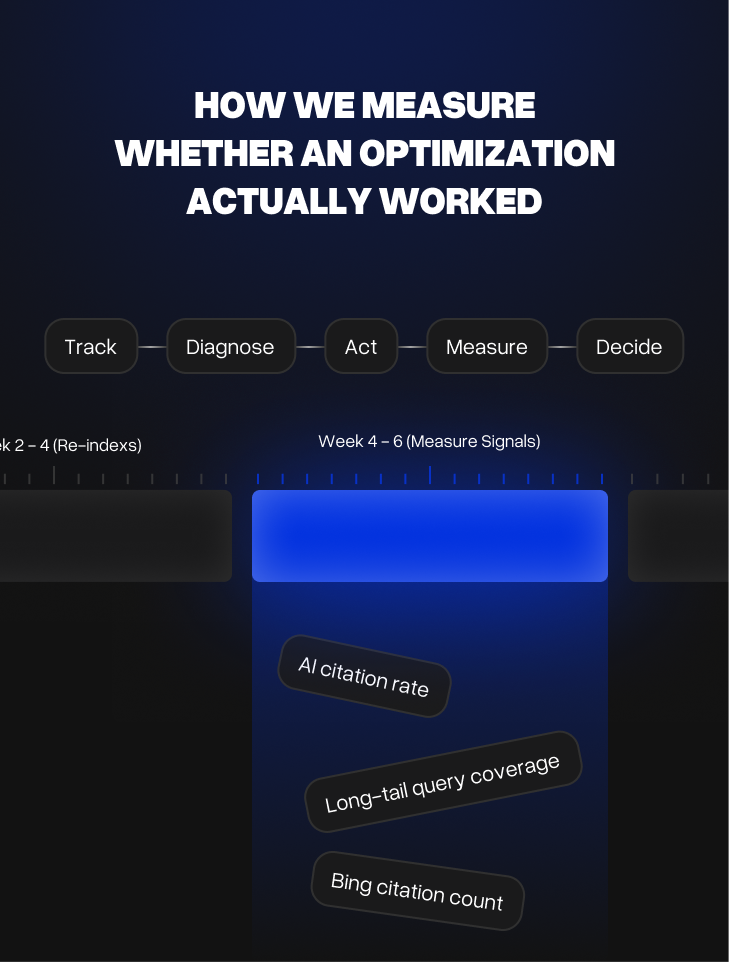
Not every metric is worth checking after every optimization. Most of the time, three signals tell you what you need to know.
Long-tail query coverage is the first thing we look at after any content change. In GSC, use the regex filter (\w+\s){3,}\w+ on a single page's query report. These are the four-word-plus conversational queries that AI systems answer most consistently. If the optimization worked, new queries in this range should start appearing, or existing ones should be getting more impressions.
AI citation rate is the second signal. This one requires a manual check, either through OneGlance for broader brand visibility, or by searching specific queries in incognito and checking whether the page is now being cited in an AI Overview or Perplexity answer. Ranking changes show up in GSC quickly. Citation changes show up here, and they matter more for AI visibility specifically.
Bing citation count is the third. Bing Webmaster Tools shows how many pages are being cited in Copilot responses and tracks changes over time. It is one of the few places you get a direct count from an AI system rather than inferred data. After any significant content update, checking whether citation count changed in Bing is a useful secondary confirmation.
How Long to Wait Before Judging
This is where most teams get it wrong. They make a change and check the results three days later. Or they wait six months and cannot remember what they changed.
Different actions need different windows.
Rewriting the opening paragraph or fixing intent — check GSC query coverage after two to three weeks. Google recrawls frequently updated pages quickly. If new long-tail queries start appearing in that window, the rewrite is being read and understood differently. Citation changes in AI Overviews usually follow within four to six weeks.
Adding a FAQ section — check for rich result appearance in two to three weeks. You can search the page's target query directly to see if the FAQ schema is rendering. Citation changes take slightly longer, usually four to six weeks, because AI systems need a few crawl cycles to incorporate the new structure.
Splitting or merging pages — give it six to eight weeks minimum. Structural changes require Google to re-evaluate which URL to serve for which queries, and that process is not fast. Rankings will fluctuate during this period. Judge it at the end of the window, not in the middle.
Building a content cluster — this is a two to three month signal. Clusters build topical authority gradually as supporting pages get indexed, linked, and crawled. Checking at four weeks will show nothing useful. The right check is at eight to twelve weeks, looking at whether the main page's query coverage has broadened.
Internal linking changes — four to six weeks. Internal link signals need a few full crawl cycles to consolidate. After that window, check whether pages that received new links have improved their ranking on the queries those links reinforce.
New dedicated pages — first impressions usually appear within two to four weeks of indexing. Early impression counts are not meaningful on their own, but the presence of any relevant long-tail queries appearing for a brand new page is a positive signal that the page is being understood correctly.
What to Look for in GSC
The most reliable validation tool is GSC, specifically the query report for individual pages.
After making a change, go to that page's performance report and set the date comparison to before and after the change date. You are looking for three things: new queries appearing that were not there before, existing queries gaining impressions, and any shift in which queries are getting the most visibility.
A rewrite that worked will show new question-format queries. An FAQ addition that worked will show the specific FAQ questions starting to appear as queries. A page that had an intent mismatch fixed will show the wrong queries dropping and the right ones gaining.
What you do not want to see is the same small set of queries with roughly the same impressions. That means the page is being understood the same way it was before, and the optimization did not shift anything.
How to Check AI Citation Changes
GSC shows search behavior. It does not tell you whether the page is being cited in AI answers. For that, you need to check directly.
For spot-checking specific queries, search in incognito and look at the AI Overview sources. If the page was not being cited before the change and now appears in the sources, that is a clear win. If a competitor is still being cited instead, look at what their page is doing that yours is not.
OneGlance is useful for tracking broader brand presence across multiple AI platforms at once. After any significant content update across multiple pages, running OneGlance confirms whether AI platforms are reflecting the changes. AI systems update their understanding gradually, so do not expect immediate results here. A check at four weeks and again at eight weeks gives a more accurate picture than a single snapshot.
Bing Webmaster's AI Performance dashboard gives a direct citation count. After content changes, checking whether the number of cited pages or total citations changed gives a confirmation that does not rely on manual incognito checking.
What a False Positive Looks Like
Not every traffic increase after a content change means the change worked. And not every traffic increase is real.
Seasonal variance is the most common false positive. If a page gets more impressions in July than June, that might be the optimization working. It might also be seasonal demand for that topic increasing. Comparing against the same period in the previous year, if the data is available, removes this noise.
Unrelated ranking changes are another one. If the page gains impressions after a content update, but the new impressions are on completely different queries than the ones you were targeting, something else moved. That is worth noting but it does not validate the specific optimization you made.
The cleanest validation is when the signal is specific. New impressions on the exact queries you were targeting, citation appearing for the specific query you rewrote the page to answer, FAQ rich result appearing for the question you added to the FAQ section. Specific signals are meaningful. Broad traffic changes need more context before they can be called validation.
When You Do Not See the Expected Results
Some optimizations do not produce results. That is useful information, not a failure. But before concluding the action did not work, run through a short checklist.
Check whether the page was actually recrawled. In GSC, go to the URL Inspection tool and check the last crawl date. If the page has not been recrawled since the change was made, the signals cannot have changed. Request indexing directly from the inspection tool and give it another week before judging.
Check whether the change was significant enough. Minor edits, adding a sentence or adjusting a heading, rarely move signals. If the change was small, the signal will be small. A rewrite that only touched the first paragraph when the page has a broader intent problem will not produce meaningful results. The size of the signal is usually proportional to the size of the actual change.
Check whether the window was long enough. A cluster checked at four weeks is too early. A structural split checked at two weeks is too early. If the window was short, extend it before drawing conclusions.
If all three are clear and the signals still have not moved, the diagnosis was probably wrong. The action you chose did not match the actual bottleneck on the page.
At that point the next step is to go back to the diagnosis, not to layer more changes on top of the one that did not work. Stacking changes makes it impossible to know what helped and what did not.
Use what you observed to sharpen the diagnosis. A page that did not respond to a rewrite likely has a deeper structural issue: intent mismatch, thin coverage, or competition that requires a cluster rather than a single page fix. A page that did not respond to a FAQ addition may have a coverage problem that formatting cannot solve. The non-result tells you something specific about what the page actually needs, which is exactly what the measurement is supposed to surface.
Revise the diagnosis. Choose a different action. Run the window again.
The Full Loop
Track what is happening. Identify the right page. Diagnose the bottleneck. Choose one action. Make the change. Wait the right amount of time. Check the specific signals. Decide whether it worked. If yes, move to the next page. If no, revise the diagnosis and try again.
That loop, done consistently, is what actually compounds over time. Most teams are missing the last three steps. They track, they act, and then they move on without ever closing the measurement window.
AI visibility is not a one-time project. It is a process that gets more precise with each cycle. The measurement step is what makes the next cycle faster and more accurate than the last one.
At Neue World, we run this full loop as a dedicated service for Webflow teams. If you want consistent measurement built into your AI search process: AI Search Optimization
