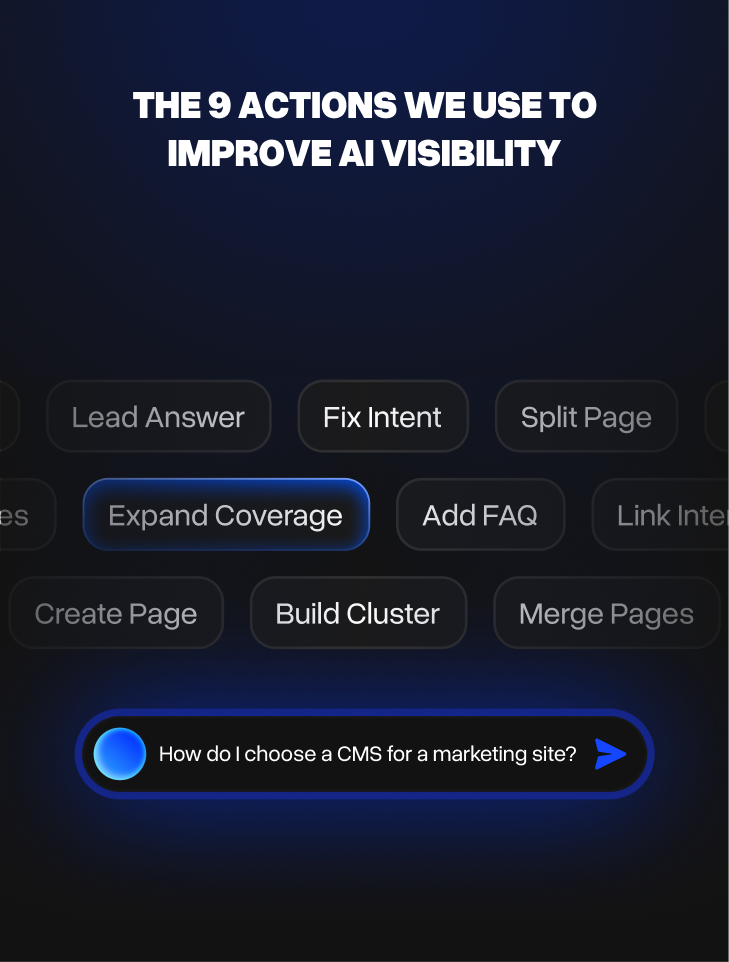
These are the nine actions we take to improve how Webflow sites get discovered, interpreted, and cited by AI systems: rewriting openings to lead with a direct answer, fixing intent mismatches, expanding thin topical coverage, adding structured FAQs, splitting or merging pages, building content clusters, strengthening internal links, and creating dedicated pages for high-value topics currently buried.
Here's when to use each one, and what to watch for after.
The right action depends on the specific problem a page has. A page with the wrong intent needs a different fix than a page with thin coverage, which needs a different fix than a page competing against five stronger versions of itself. Most teams either try to do everything at once or default to the same move every time, neither works well.
This is the third piece in our series on AI search visibility for Webflow sites. The first covered the free stack we use to track AI visibility; the second covered the decision loop we use to turn that data into weekly priorities.
1. Rewrite the Opening to Lead With a Direct Answer
This is the most common action we take, and often the highest-return one.
Most pages build slowly toward their main point. They start with context, background, or a general introduction, and only get to the actual answer several paragraphs in. That structure works fine for human readers who are willing to scroll. It does not work for AI systems that extract answers from the first visible content on a page.
If a page is ranking for a question-format query but is not being cited in AI Overviews, the opening is usually the first thing to check. The fix is to move the direct answer to the top. First paragraph, clear sentence, no preamble. The rest of the page can expand on that answer with supporting detail.
This does not mean making the page shorter. It means restructuring it so the answer comes first and the explanation follows.
The signal to watch after this change is long-tail query coverage in GSC. If the right queries start appearing and impressions grow on question-format searches, the page is being understood more accurately.
2. Fix an Intent Mismatch
Sometimes a page is ranking, but for the wrong queries.
A service page written to convert visitors might be showing up for research queries. A how-to blog might be surfacing for comparison queries it was never designed to answer. A homepage might be picking up long-tail queries that belong on a dedicated inner page.
When that happens, the page is being used in a way that does not match what it was built for, and AI systems are often getting confused by the same mismatch.
The fix depends on the direction of the mismatch. If the page is genuinely a good fit for the queries it is ranking for, rewrite it to match that intent more clearly. If the queries it is picking up belong somewhere else, create the right page for them and let this one focus on what it was meant to do.
What should not happen is leaving the mismatch in place and hoping it resolves on its own. It usually does not. Formatting changes, schema, or more content do not fix an intent problem. A clearer page purpose does.
3. Expand Thin Topical Coverage
A page can be well-written and still not get cited if it does not cover enough of the topic.
AI systems are building answers from multiple sources. If a page answers the main question but misses the follow-up questions, the underlying concepts, or the context a buyer needs to make sense of the answer, another source that covers more ground will tend to get cited instead.
The way to identify this is to look at what the pages that are being cited actually cover. Not just the main topic, but the subtopics they address, the questions they answer, the angles they consider. The gap between what those pages cover and what your page covers is usually where the problem lives.
Expansion does not mean making the page longer for the sake of length. It means adding the specific content that is currently missing. A how-to page that explains the process but not the common mistakes around it, or a comparison page that covers features but not pricing or migration, has a coverage gap that is straightforward to close.
4. Add a Structured FAQ Section
FAQ sections are one of the few formatting changes that reliably improve AI visibility, when they are done properly.
AI systems pull heavily from question-and-answer structured content because it maps directly to the format they are trying to produce. A well-structured FAQ gives AI a set of pre-formed answers it can extract without reinterpreting the content.
The key word is well-structured. An FAQ section that lists generic questions with vague answers does not help. Each entry should answer one specific question a buyer would actually ask, in two to four sentences, with a direct answer in the first sentence.
The questions should come from real data: the long-tail queries in GSC for that page, the questions that appear in Google's People Also Ask, the queries where AI Overviews are appearing but the page is not being cited. Those are the questions worth answering.
Adding FAQ schema markup alongside the content reinforces this further. It is not required for AI systems to read the content, but it makes the structure unambiguous.
5. Split a Page Serving Two Different Intents
A page that tries to serve two different audiences, answer two different questions, or rank for two different intents will usually underperform on both.
This happens frequently with service pages that have expanded over time to cover multiple offerings, blog posts that started as one topic and drifted into another, or category pages that are trying to rank for both broad and specific queries simultaneously.
The problem is that Google and AI systems are trying to categorize the page as being about one thing. When a page is genuinely about two things, the signals get diluted and neither intent gets served well.
The fix is to split the page into two focused URLs, each clearly about one thing. The original page may need to be simplified or redirected. The new page should be built around the specific intent it is meant to serve.
This is more structural work than a rewrite, but it tends to produce cleaner long-term results. A focused page on a narrower topic will almost always outperform a broad page that touches on the same topic as one of several things it covers.
6. Merge Pages That Are Competing With Each Other
The opposite problem is also common.
A site with multiple thin pages covering the same topic from slightly different angles will often find that none of them rank well. They are competing with each other for the same queries, splitting the relevance signals across several URLs instead of concentrating them in one.
This happens with blog archives that have published variations on the same topic over several years, with product or service pages that have grown without a clear structure, or with comparison pages that were created for individual queries without a unified topic strategy.
The fix is consolidation. Identify the pages covering the same territory, choose the strongest URL to keep, merge the content into a single well-structured page, and redirect the others to it. The combined page will almost always outperform any of the individual versions.
The signal to watch after this is ranking stabilization. It usually takes a few weeks for the consolidated page to settle, but query coverage tends to improve once the split signals are combined.
7. Build a Content Cluster Around a Competitive Topic
Some topics are too broad and too competitive to win with a single page.
If a topic is crowded with strong, well-established pages, a single post trying to cover the whole subject will rarely break through. AI systems are pulling from sources that have built authority around a topic over time, with multiple pages covering it from different angles and linking to each other.
A content cluster is the structural response to this. Instead of one comprehensive page, you build a main page that covers the topic at the right level and several supporting pages that each go deep on a specific subtopic. The supporting pages link to the main page, the main page links to the supporting pages, and together they signal clear topical ownership.
This is more of a medium-term strategy than a quick fix, but it tends to be the right answer for competitive informational topics. A cluster of five focused pages almost always outperforms a single long page trying to cover everything.
8. Strengthen Internal Linking
Internal linking is one of the most underused levers for AI visibility.
When pages on a site are linked to each other in a way that reflects the topical relationships between them, search engines and AI systems can follow those connections and build a clearer understanding of what the site covers and how the topics relate. When pages exist in isolation, even good content can underperform because the topical context is missing.
The most common problem we see is pages that are well-written and relevant but not linked to from other pages on the same site that cover related topics. A page about a specific feature with no links from the main product page. A blog post that covers a concept in depth but is not linked from any other piece that references that concept.
The fix is systematic, not random. Find the pages that are performing well and look at what they link to. Find the pages that need support and look at which other pages on the site should naturally reference them. Add links where the connection makes sense for a reader, not just for signals.
This is worth doing before more structural changes, because sometimes it is enough on its own to shift how a page is understood.
9. Create a Dedicated Page for a High-Value Topic Currently Buried
Sometimes the right action is to create a new page entirely.
This happens when a topic that has real search demand and business value is currently only covered as a section within a broader page. A feature that gets one paragraph inside a general product overview. A use case that is mentioned in a case study but never given its own page. A comparison that buyers are actively searching for but that only appears as a line item in a longer post.
Buried content rarely gets cited. AI systems do not extract buried sections and surface them independently. If a topic matters enough that buyers are searching for it and competitors are ranking for it, it usually deserves its own URL.
The new page should be focused, structured around the specific queries it is meant to answer, and linked to from the broader pages where the topic is currently referenced. It does not need to be long. It needs to be clear, specific, and unambiguous about what it covers.
Which Action to Use When
The right action depends on the diagnosis, not on what is easiest or most familiar.
A page with good search demand but a buried answer needs action 1. A page ranking for the wrong queries needs action 2. A page that covers a topic shallowly needs action 3. A page serving multiple intents needs action 5. A site with several thin pages on the same topic needs action 6.
The most common mistake is applying a one-size solution: adding schema to everything, rewriting openings on every page regardless of what the actual problem is, or building clusters when the real issue is something more basic like an intent mismatch or a missing page.
Each action works when it is matched to the right problem. Most pages have one primary bottleneck, and fixing that one thing tends to move the needle more than doing several things at once.
That is the discipline this whole workflow is built around. Diagnose first. Choose one action. Measure the result. Repeat.
At Neue World, we run this as a dedicated service for Webflow teams. If you want to know which of these actions your site needs and where to start: AI Search Optimization
