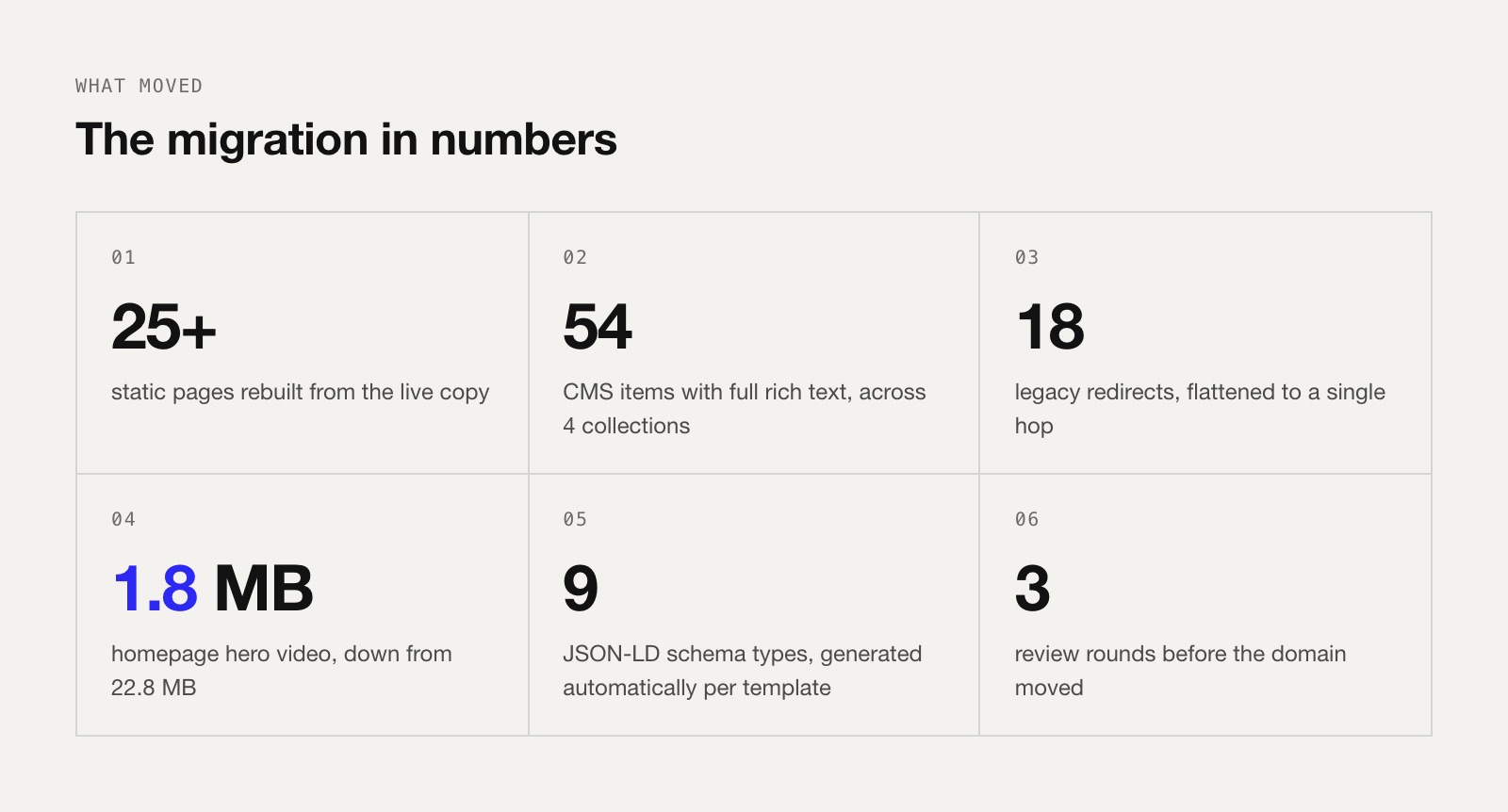
Short answer: We moved flozi.io from Webflow to Framer in about 48 hours of build time. It took two build days, three review rounds and one domain switch. We rebuilt 25+ pages and 54 CMS items and upgraded the design system on the way. Every old URL that Google had indexed still lands on the right page. The work that made it safe wasn't the design. It was everything around it: the URL inventory before we started, schema and meta rebuilt per template, keeping the www canonical, and 18 legacy redirects flattened to a single hop.
If you want to see what the finished site looks like and how we designed Flozi in the first place, the full project is in our Flozi case study. This piece covers the migration itself: what we did, in what order, and what nearly bit us.
Who this is for
You run a marketing site on Webflow, you're looking at Framer, and you're worried about two things: how long it'll take, and whether you'll lose your rankings. Both are fair worries. We had them too, and Flozi isn't a client project for us. It's our own product, so there was nobody else to blame if traffic dipped.
First, some context
Flozi is an AI visibility platform. It shows brands how they come up in ChatGPT, Perplexity, Gemini and the other AI engines, why they aren't being picked, and what to fix. We designed the brand and the product at Neue World, and the marketing site lived on Webflow from day one.
The site had grown the way most startup sites grow: a solid homepage, then feature pages, use-case pages, a blog, a Learn hub, Insights, a pricing page with two platform tabs, and a long tail of old URLs from earlier naming. ("AI Visibility" became "AI Selection" halfway through, which matters later.)
Why we moved (and why this isn't an anti-Webflow post)
We build on Webflow every week, and for most of our clients it's still the right call. This move was about what this site needed next:
- Motion-heavy, component-driven design. The new direction leaned on live code components: particle fields behind heroes, a glyph-ripple footer, Rive animations in feature heroes. In Framer these are just React components on the canvas, with props the team can tweak without touching code.
- Speed of iteration. Flozi ships product updates weekly. The marketing team needed to change pages as fast as the product changed, without going through a developer.
- A programmable editor. Framer has an API that lets you create pages, CMS items, redirects and custom code in bulk. That's a big part of how 48 hours was possible (more on this below).
If your site is CMS-heavy, needs complex filtering, memberships or e-commerce, or your team already knows Webflow well, stay on Webflow. There's a comparison table near the end.
What "48 hours" actually means
Honest version: it wasn't 48 hours in one go. It was two focused build days, then a few days of review and fixes, then launch.
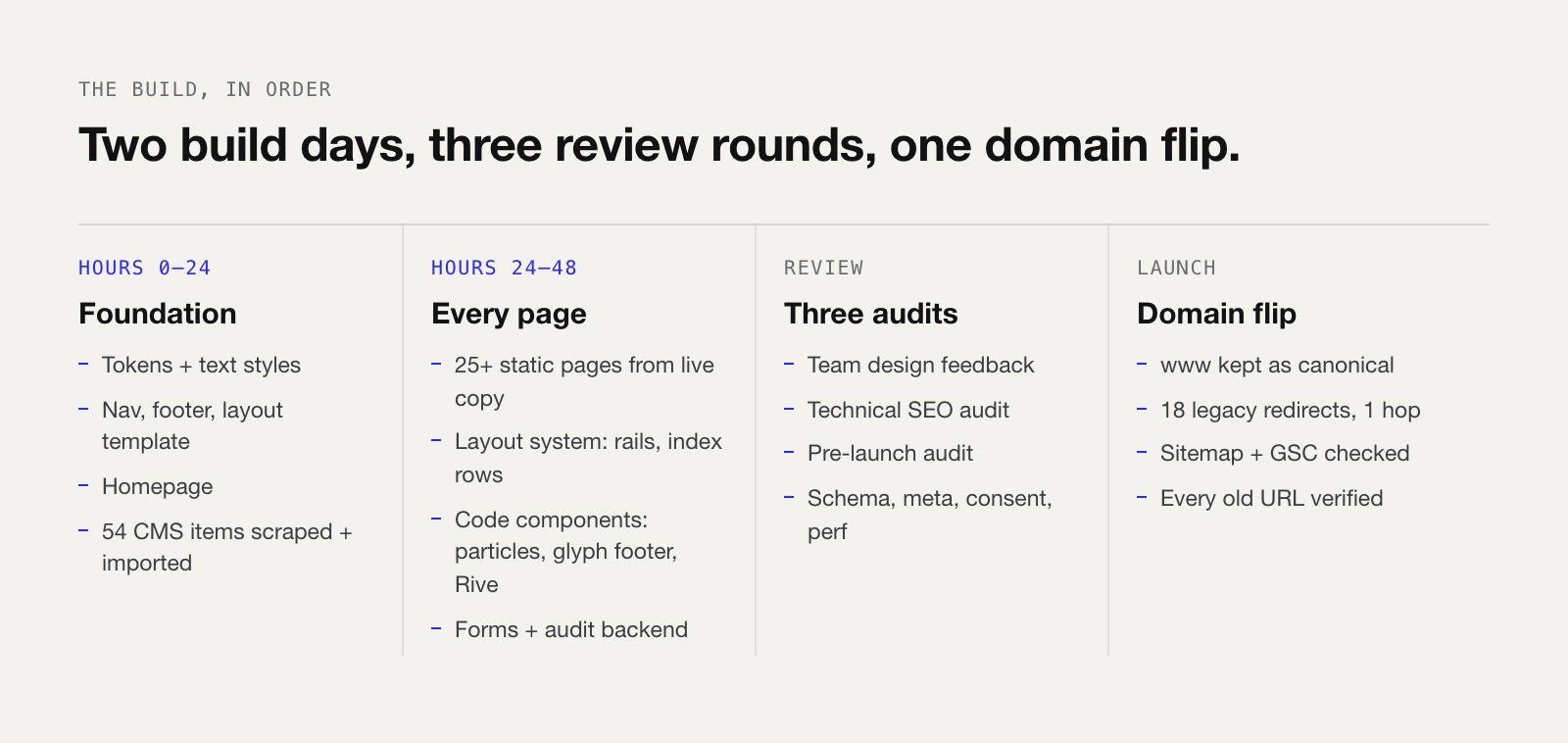
- Hours 0–24, foundation. Design tokens, text styles, navigation, footer, the layout template, the homepage, and all CMS content imported.
- Hours 24–48, every page. 25+ static pages rebuilt from the live copy, the new layout system applied across the site, code components, forms wired to the audit backend.
- Review. Three separate audits: design feedback from the team, a technical SEO audit, and a pre-launch audit.
- Launch. Domain switch, the www canonical kept, redirects added and every old URL checked by hand.
Step 1: Take inventory before you touch anything
This is the boring step, and it's the one that saves you. Before opening Framer we listed:
- Every indexed URL. We pulled them from the live sitemap and Google Search Console, not from the Webflow page list. GSC shows what Google actually knows about, including old slugs you forgot existed.
- Every form and where it posts. Flozi's free AEO audit form sends to a separate backend that generates the report. If that breaks quietly, you lose leads, not just pages.
- Every script. Analytics, cookie consent, tag manager, chat. Write down what each one does and whether it's still needed.
- Every CMS collection and field. Blog, Learn, Insights, Socials Spotlight, Categories, Authors.
If you skip this step, you find the gaps after launch, in Search Console, two weeks later.
Step 2: Build the design system first, then the pages
We didn't start with the homepage. We started with tokens: colours, the two type families (MD Nichrome for headlines, Aeonik for body), text styles, spacing, and a 1136px content column.
Then the shared parts: navigation (desktop, plus a phone drawer with Product, Solutions and Resources menus), footer, and a main layout template every page inherits. Once those exist, a new page is just sections inside a frame that's already right.
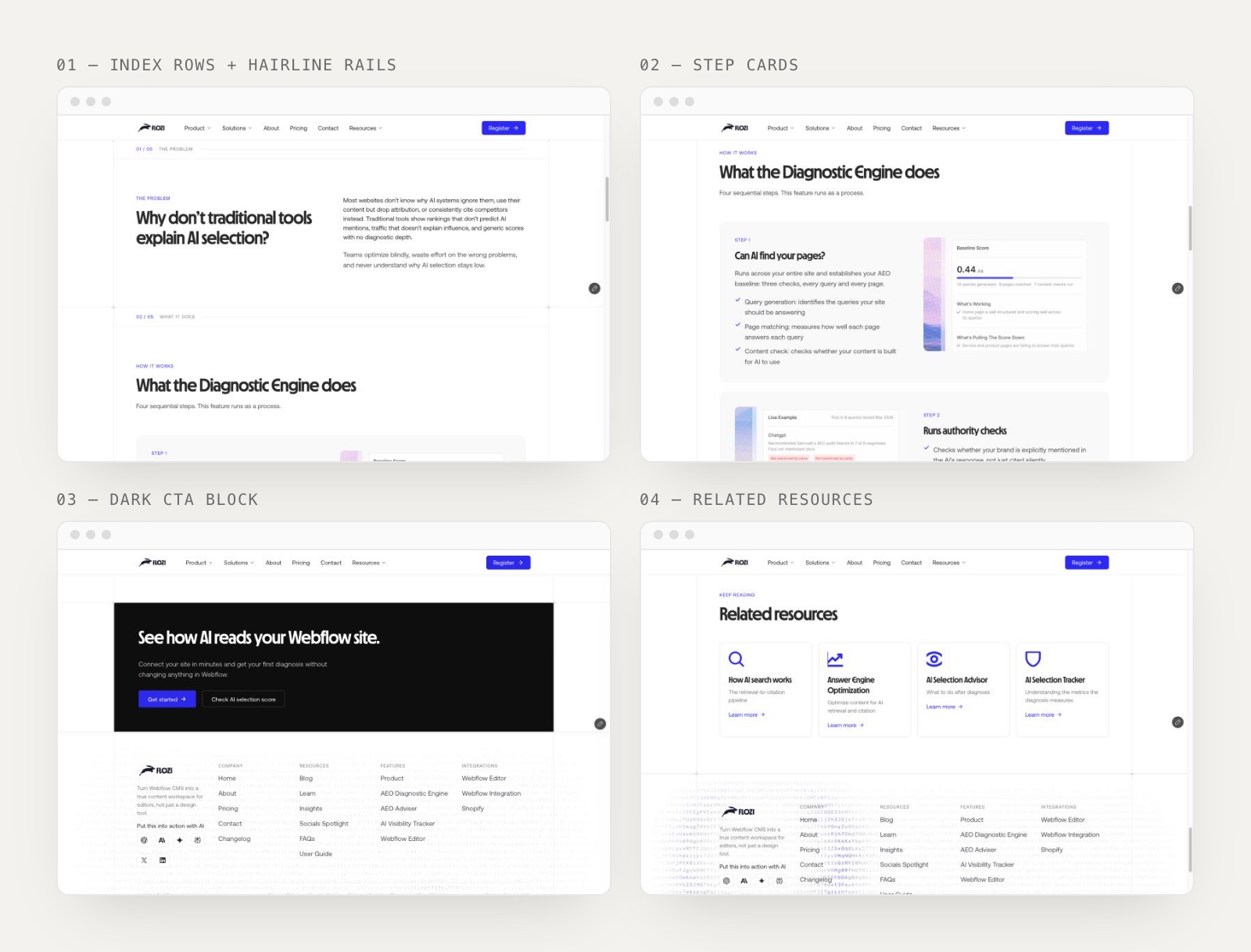
The upgrades we made at this stage:
- Hairline rails. Two fixed 1px lines frame the content column, with a full-width rule under every section. It gives the site a blueprint feel and keeps long pages readable.
- Index labels. Every section starts with "01 / 05 — THE PROBLEM". It sounds small, but it tells readers (and AI crawlers skimming the page) exactly where they are.
- Square, flush blocks. Tinted sections and the dark CTA sit flush to the rails instead of floating as rounded cards.
- One CTA hover system. Primary, secondary and ghost buttons share one hover behaviour, set once in site code instead of per button.
Step 3: Move the content (all of it, properly)
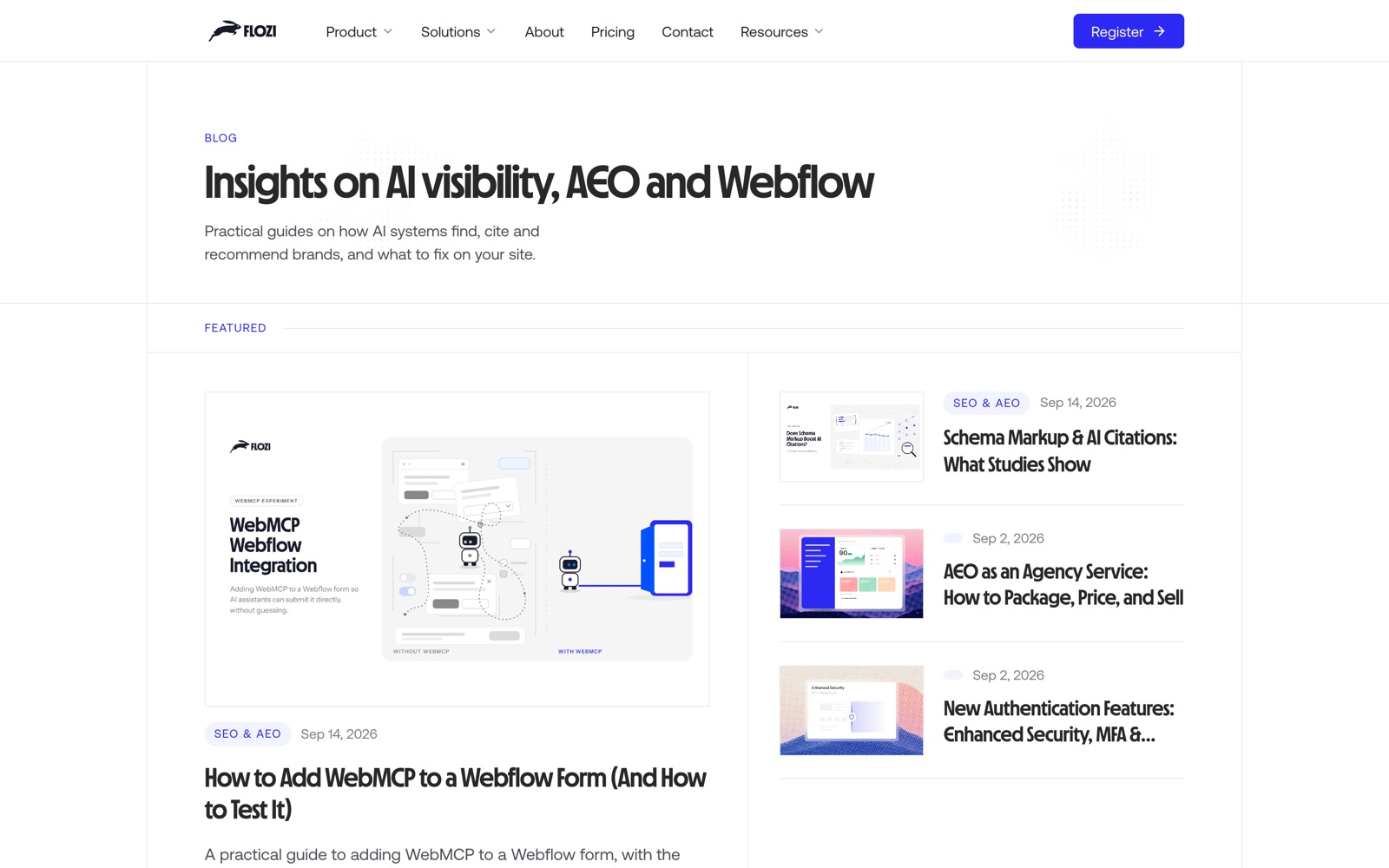
This is where most migrations cut corners. We imported 54 CMS items across Blog, Learn, Insights and Socials Spotlight, with full rich-text bodies, not summaries. Category and author references are linked too.
How we did it: scrape the live page HTML, convert the rich text into Framer's format, and write it into the CMS through the API. A few things we ran into:
- Framer rejects AVIF images. Webflow serves a lot of AVIF. We sent them through an image proxy that converts them on the fly, then re-uploaded.
- Dates and categories were messy. Some posts had placeholder dates and missing categories in the source. Migration is a good moment to clean that up. Don't copy the mess across.
- Category and author pages are worth building. We added
/category/...and/authors/...pages that list posts by reference. They help with E-E-A-T, and they're cheap to add while you're in the CMS anyway.
Step 4: Rebuild pages from the live copy, not the design file
Decision we made early: the live site was the source of truth for copy, not Figma. The Figma file had newer layouts but older words in places. Ranking pages rank on their words, so we kept the copy and upgraded the design around it.
Pages rebuilt: product, pricing (with the Webflow/Shopify tab switcher), about, four feature pages, three use-case pages, two integration pages, contact, the free AEO audit, changelog, FAQs, user guide and four legal pages.
Step 5: The design upgrades, before and after
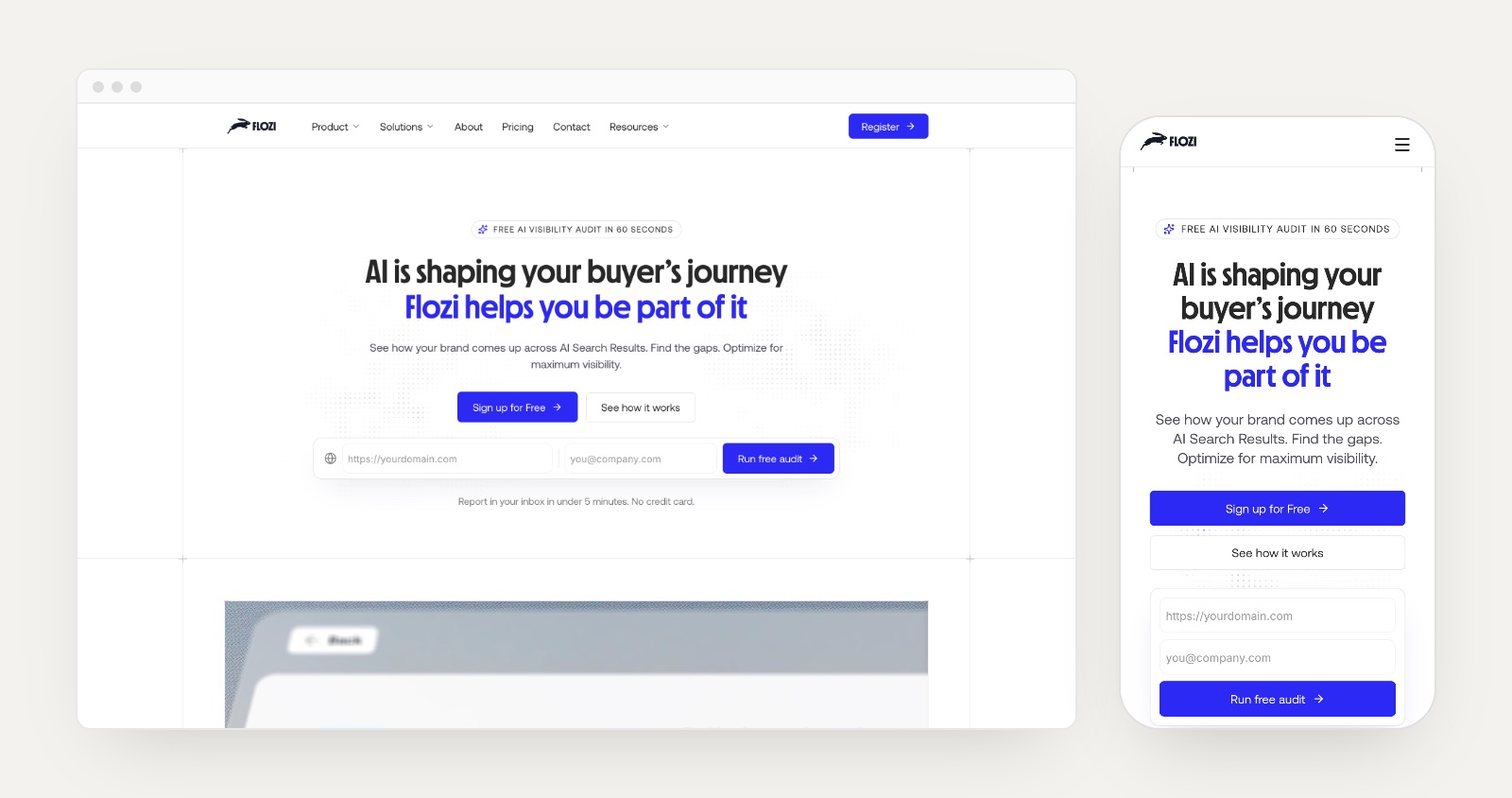
After the first pass, the team went through every page and sent back a list. Here are two examples of what changed between the first pass and what shipped.
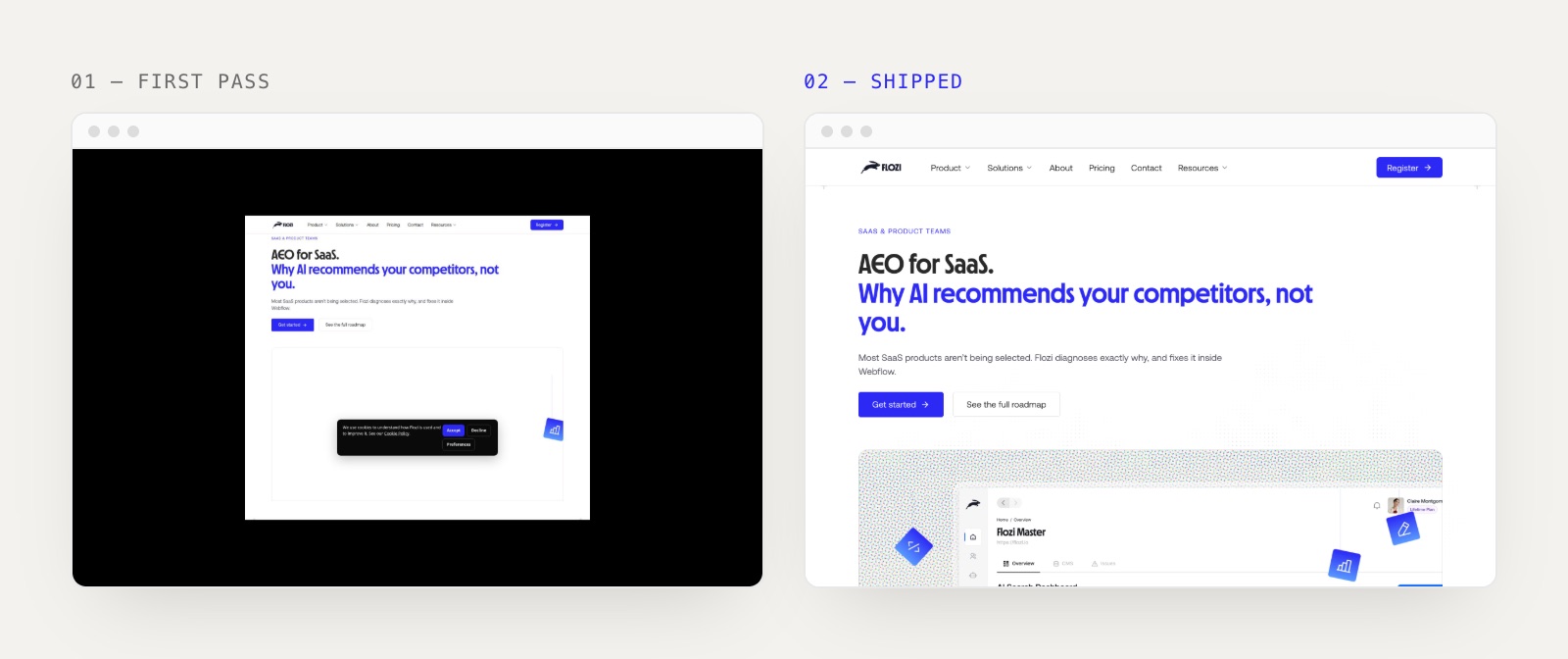
The SaaS page's first pass had an empty hero frame and a heading crammed under the nav. The shipped version gets proper breathing room, a halftone background, the dashboard, and floating icons that hint at what the product does.
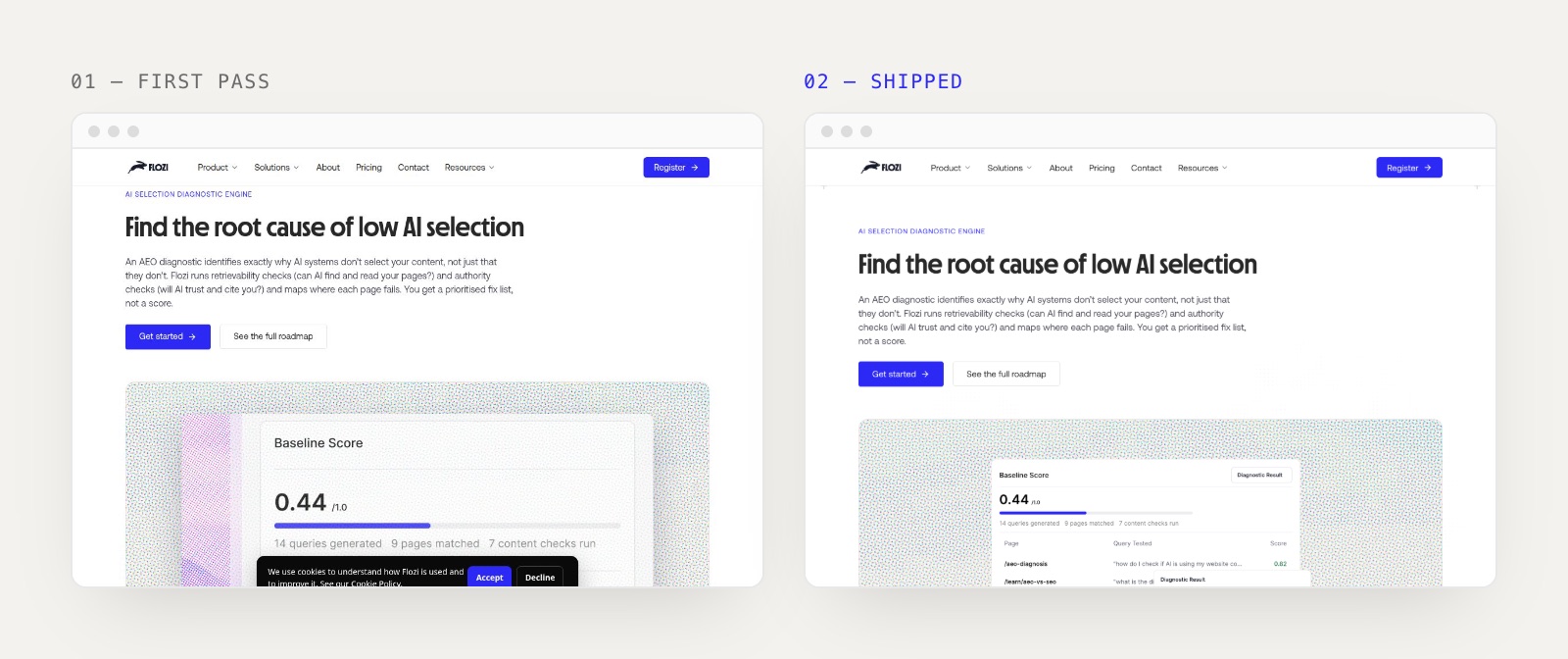
Same story on the diagnostic engine page: hero spacing fixed, and the product visual tightened so it reads at a glance instead of as a cropped screenshot.
Other upgrades in that round:
- Live code components instead of static images: a particle field behind heroes, Rive animations in feature heroes, and a glyph-field footer that ripples when you click it.
- Use-case tabs rebuilt as a vertical selector, which works far better on mobile than horizontal tabs.
- Insights pages gained a sticky assessment sidebar and a "Latest from the blog" strip, so readers always have a next step.
- Mobile treated as its own layout, not a squashed desktop.
Step 6: Make the SEO survive the move
Design is what people notice. SEO is what keeps the lights on. This is the part of the checklist we'd tell anyone not to skip.
Structured data, generated per template. We wrote one script that adds the right JSON-LD to every page automatically: Organization, WebSite, WebPage and BreadcrumbList everywhere; SoftwareApplication on product and feature pages; BlogPosting, TechArticle or Article on CMS templates; and FAQPage wherever FAQ items exist. It covers nine schema types, with no manual tagging on each page.
FAQ answers stay in the DOM. Our FAQ accordion keeps the closed answer in the HTML at zero height, not removed. Crawlers and AI engines can read it. Your visitors only see it when they open it.
Meta, cleaned up. We fixed duplicate CMS titles, trimmed descriptions to under 160 characters, rebuilt social images, and set noindex on test and draft pages so they don't compete with real ones.
Links fixed. We made 21 hard-coded absolute links relative and pointed 75 old waitlist links at the live app sign-up.
Performance. The homepage hero video was 22.8 MB. We compressed it to 1.8 MB with no visible loss. That one change mattered more for mobile than anything else on the page.
Consent-first analytics. GA4 only loads after the visitor opts in through the cookie banner.
Step 7: Run three review rounds, not one
We ran three separate passes, each with a different lens:
- Design feedback from the team, page by page, with screenshots.
- Technical SEO audit of the staging site: schema, meta, canonicals, indexing, internal links.
- Pre-launch audit: favicon, 404 page, language attribute, forms, scripts, page weight.
Every point got a written response: fixed, blocked (and why), or deferred. It sounds formal for a two-day build, but it's the difference between "we think it's fine" and "we know what's left".
Step 8: Launch day, and the two things that almost bit us
1. The www canonical. Every URL Google had indexed was on www.flozi.io. Framer connected the domain as flozi.io without the www, so the new sitemap and canonicals went out without it. Search Console would have treated the whole site as new URLs. We fixed it by making www the primary domain, with the apex flozi.io returning a 308 redirect to www. Then we checked the canonicals and the sitemap again.
If you're migrating, check this first: your new primary domain has to match the version Google already indexes, exactly.
2. Old redirects. Webflow had a list of redirects built up over time, and some of them chained. Old URL A pointed to B, which then pointed to C. We rebuilt 18 of them in Framer and flattened each one to a single hop, straight to the final page. For example, /product/features/ai-visibility-tracker now goes directly to /product/features/ai-selection-tracker. Then we opened every old URL to confirm where it actually lands.
One more Framer gotcha: once a site is live, Framer can put your edits on a separate branch, and publishing from that branch only updates a preview. You have to merge into main and then publish. If a fix "isn't showing up", check this first.
What we'd do differently
- Fix the www setting before connecting the domain, not after.
- Ship the compressed hero video from day one. We built with the original file and only caught it in the pre-launch audit.
- Decide where form submissions go before building forms. Wiring them up afterwards was extra work we didn't need.
The migration checklist
Copy this if you're planning your own move:
- Export every indexed URL from Search Console and the live sitemap
- List every form, script and integration, and where each one sends data
- Build tokens, text styles, nav, footer and the layout template first
- Import CMS content with full rich text; fix dates, categories and authors on the way
- Convert unsupported image formats (AVIF) before upload
- Rebuild pages from the live copy that ranks
- Generate schema per template; keep FAQ answers in the DOM
- Clean meta titles and descriptions; noindex drafts and test pages
- Compress hero media
- Make the new primary domain match the indexed version (www or not)
- Rebuild redirects as single hops; open every old URL to check it
- Re-submit the sitemap in Search Console after launch
Webflow vs Framer: which should you use?
If you need…WebflowFramerLarge, structured CMS with complex filteringStrongerFine for most marketing sitesMemberships, logic, e-commerceBuilt inLimitedMotion-rich, component-driven designPossible with custom codeNative, through React code componentsMarketing team editing on their ownGood with the EditorVery fast on the canvasBulk changes through an APIData API, solidEditor API, very flexibleDeveloper handoff and clean class structureExcellentLess relevant; it's design-first
There's no wrong answer here. Pick the tool that fits what the site needs to do for the next two years, not the one that's trending.
FAQ
How long does a Webflow to Framer migration take?
For a marketing site of 25 to 30 pages with a blog, plan on two focused build days for the rebuild, then a few days for review and fixes before you switch the domain. Larger CMS sites, or sites with complex interactions, take longer. Content migration and QA usually take more time than the design.
Will I lose my SEO rankings when moving from Webflow to Framer?
Not if you keep the same URLs where you can, redirect every old URL in a single hop, keep the same www or non-www version Google already indexes, and carry over your meta, schema and internal links. Most ranking drops after a migration come from broken redirects or a changed canonical domain, not from the platform.
Can you move Webflow CMS content to Framer automatically?
Partly. Framer can import CSV, but rich-text bodies, references and images usually need cleanup. We scraped the live HTML, converted the rich text, and wrote it into the Framer CMS through its API. That kept full article bodies and category and author links intact.
Does Framer support 301 redirects?
Yes, on paid plans. Add each old path and its new destination in the site's redirect settings, point every rule straight at the final URL (no chains), and test each one after publishing.
Is Framer better than Webflow for SEO?
Neither is better on its own. Both produce crawlable pages, support custom meta, sitemaps and redirects, and let you add structured data through custom code. Your results depend on what you put on the page and how carefully you migrate, not on the platform.
Should I use www or non-www after migrating?
Use whichever version Google already has indexed. Check Search Console. If your indexed URLs start with www, make www the primary domain on the new platform and redirect the bare domain to it.
See the finished project
This was the migration. The design story is in our case study: the brand, the rabbit mascot, the product UI and the site. See the Flozi case study, or browse flozi.io and try the free AI visibility audit yourself.
Planning a Webflow-to-Framer move, or a redesign that can't afford to lose traffic? Talk to us. We've done it on our own product first.
