Don’t Start Your Blog Until You Read This
Most blogs don’t fail because of bad writing. They fail because the setup was rushed.
If you’re launching a blog just to “post content,” you’ll likely burn out before you gain traction. Blogging for traffic is easy; you write, publish, and hope people find it.
Blogging for growth is different. It means treating your blog like a product. It needs a clear audience, a scalable setup, and a platform that works for your long game.
That’s where Webflow comes in.
Webflow is not just a visual builder. It’s a system that empowers you with complete control over layout, structure, CMS, and SEO, all without the need for developers. With Webflow, you can design your blog exactly as you envision, manage your posts like a seasoned content professional, and scale as your traffic grows.
The potential for growth and scalability is immense, and it's all within your reach with Webflow.
You don’t need to code to build on Webflow. But you do need to think like a builder. Structure matters. Design matters. Experience matters.
When you set things up right from day one, your blog becomes more than a place to publish; it becomes a core part of your growth engine.
Is Webflow Good for Blogging?
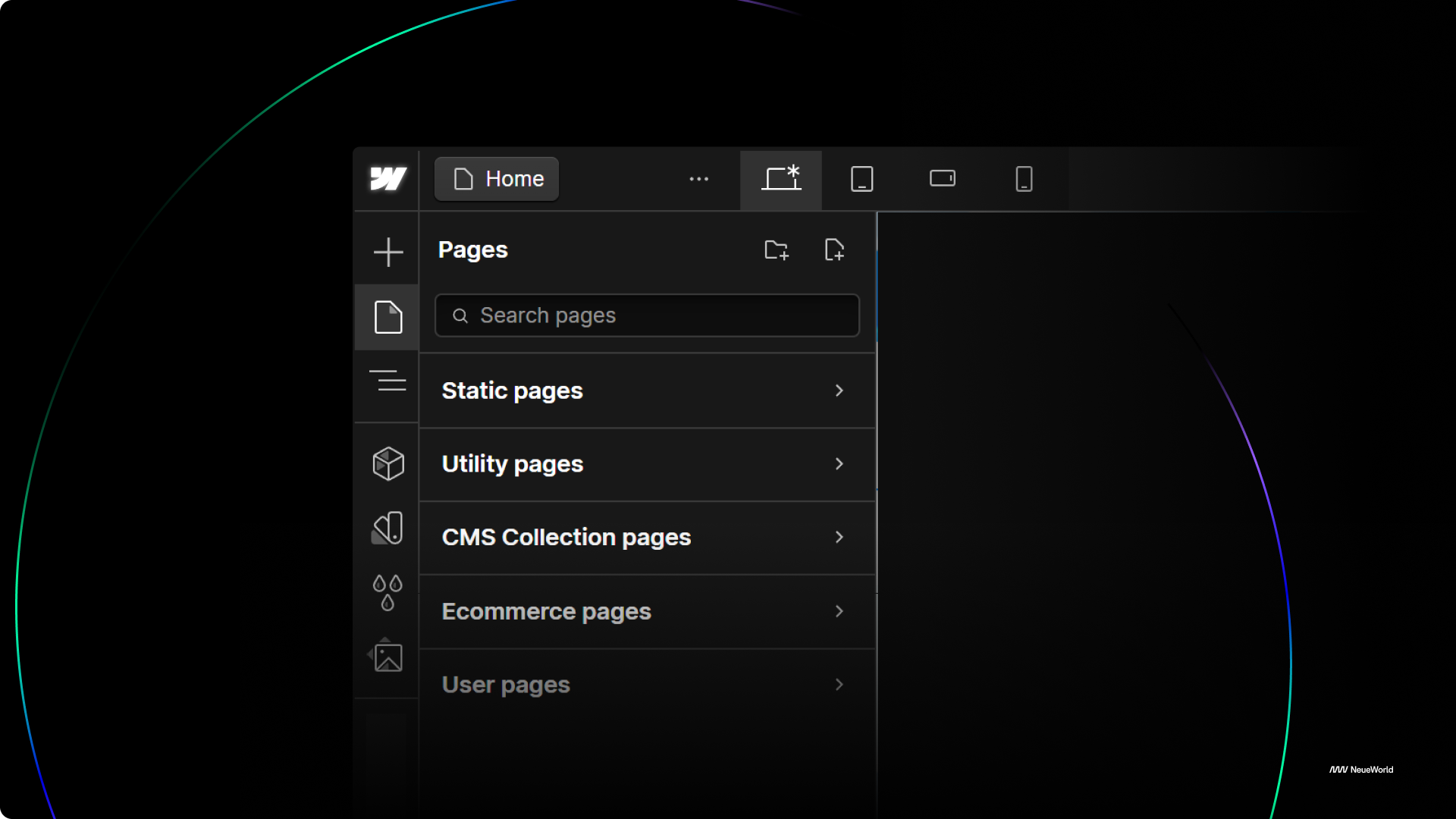
Webflow works great for blogging if you care about design, structure, and control. It’s not just another content platform. It’s a front-end design tool paired with a powerful CMS.
You can create dynamic content, style every detail, and publish without touching a line of code. But it’s not perfect for every use case.
Here’s what you need to know.
When Webflow Makes Sense
- You want full control over blog layout and styling
- You’re building a custom content experience, not just a writing board
- You need a scalable CMS without developer dependency
- You care about performance, SEO, and fast load speeds
- You want to design once and reuse across collections (e.g., categories, author pages)
If you’re running a startup, agency, or personal brand that treats content like an asset, not an afterthought, Webflow is a smart choice.
When Webflow Doesn’t Make Sense
- You publish dozens of articles daily and need bulk publishing tools
- You rely on native commenting systems
- You want a traditional content editor like WordPress’s Gutenberg or Notion’s markdown
- You expect built-in plugins and themes (Webflow isn’t a plugin-based ecosystem)
If you need a basic blog, Webflow might feel like overkill. But if you’re designing for impact, not just output, it gives you room to grow.
How Does Webflow Compare to Other Blogging Platforms?
Most people use WordPress because it’s familiar. But familiarity doesn’t mean efficiency. If you’ve ever struggled to change a layout on WordPress or jammed code into a theme, Webflow feels like clean air.
What You Need Before Setting Up Your Blog
Before you touch a design or drag a CMS field into place, there are four things you need to figure out. Skip these, and you’ll end up redesigning, restructuring, or rewriting within your first three months. I’ve been there.
Here’s what to lock down:
1. Your Domain Name
Buy it early. Your domain is your digital home address. The shorter, clearer, and more relevant it is to your brand or topic, the better. Tools like Namecheap or Google Domains make this part fast.
Quick tip: get the .com if it’s available, but don’t sweat it if it’s not. Just make sure it’s easy to say and spell.
2. Your Content Strategy
Who are you writing for?
What do they care about?
And what’s the actual goal: traffic, leads, product sales, trust?
Don’t just blog to “have content.” Pick 3–5 content pillars (topics you’ll return to) and define what success looks like. If you skip this part, you’ll write five random posts and wonder why nothing’s working.
Write this down:
- Who’s your audience?
- What problems are they Googling?
- What do you want readers to do after each post?
3. Your Blog Structure
Start with a system, not just content.
Define your:
- Categories (e.g., Design, Branding, Tutorials)
- Tags (for internal search and SEO)
- Author fields (especially if more than one person is writing)
- Post types (e.g., tutorials, case studies, roundups)
Why does this matter?
Because once your CMS is live, changing structure becomes painful. Plan now, scale later.
4. Branding Assets
People recognize patterns before they read headlines. That’s why your blog needs visual consistency from day one.
Make sure you’ve defined:
- Logo
- Color palette
- Font pairings
- Image style (illustrations, screenshots, gifs?)
Even if it’s just a Notion doc and a Figma board, it’ll save you hours down the line and make your blog feel like part of an authentic brand.
Bonus: Starter Blog Setup Checklist
Here's a quick checklist I use when setting up any new blog:
- Domain name purchased and connected
- Brand kit in one place (logo, colors, fonts)
- Sitemap with key pages (Home, Blog, About, Contact)
- Blog categories defined
- First 3–5 blog post topics drafted
- CMS collection structure mapped out
- SEO basics: meta titles, descriptions, slugs
- Google Analytics + Webflow tracking added
- Blog post template designed and responsive
Start simple. You can evolve the system later. But without this foundation, your blog will feel like a pile of content instead of a proper platform.
Step-by-Step: How to Set Up a Blog in Webflow
You don’t need to be a developer to launch a great blog in Webflow. But you do need a plan, a CMS structure, and the right steps. Here's how to set it up the right way.
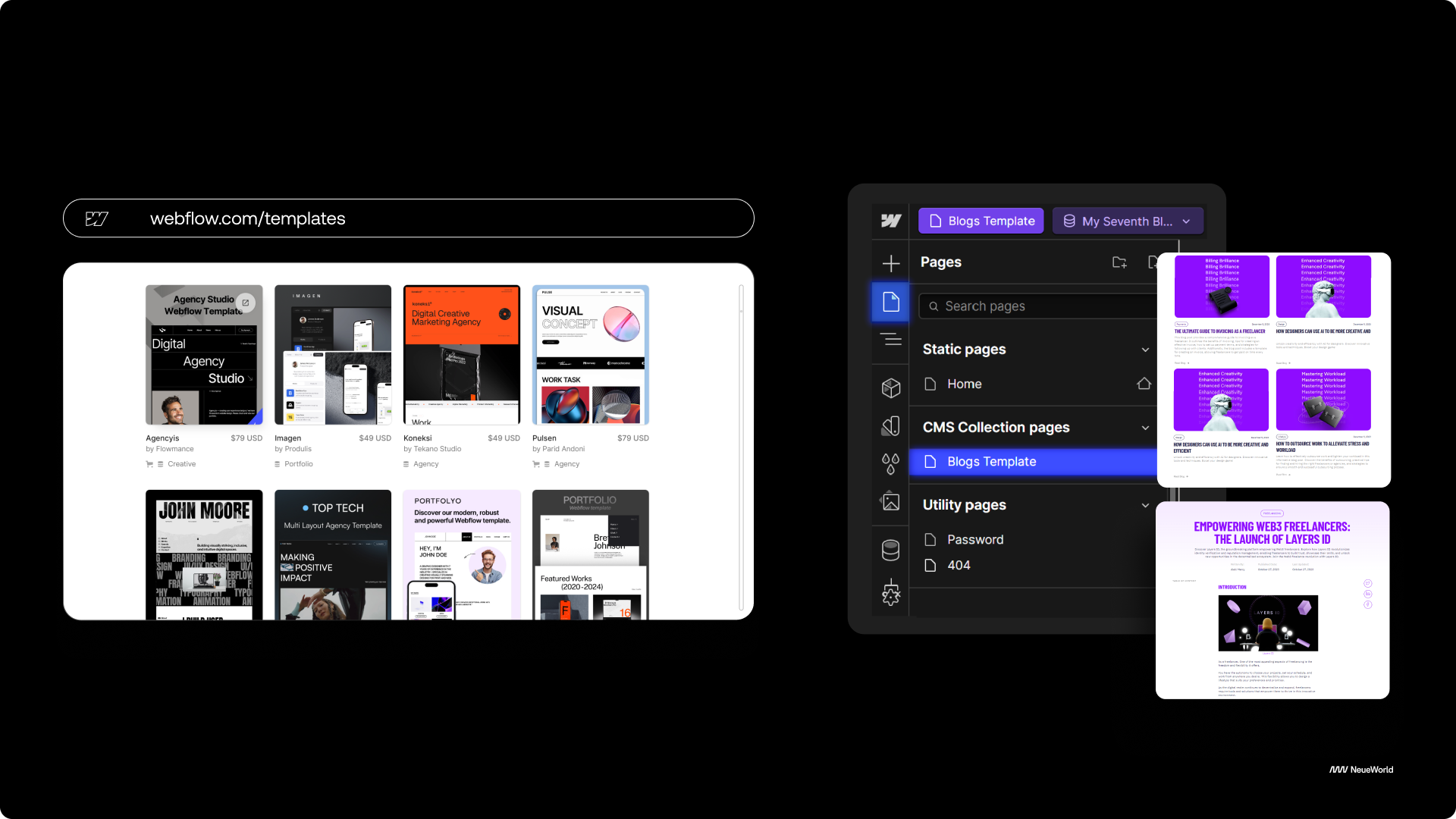
1. Sign Up and Choose a Template
Start by creating a Webflow account. Once you're in, you can either:
- Pick a free or premium blog template from the Webflow template marketplace
- Or start from a blank canvas if you're confident with layout design
Templates like Chronicle or Notable are beginner-friendly and already come with a blog CMS setup you can customize.
Not sure how to begin? Webflow University’s "Getting Started" video makes it easy.
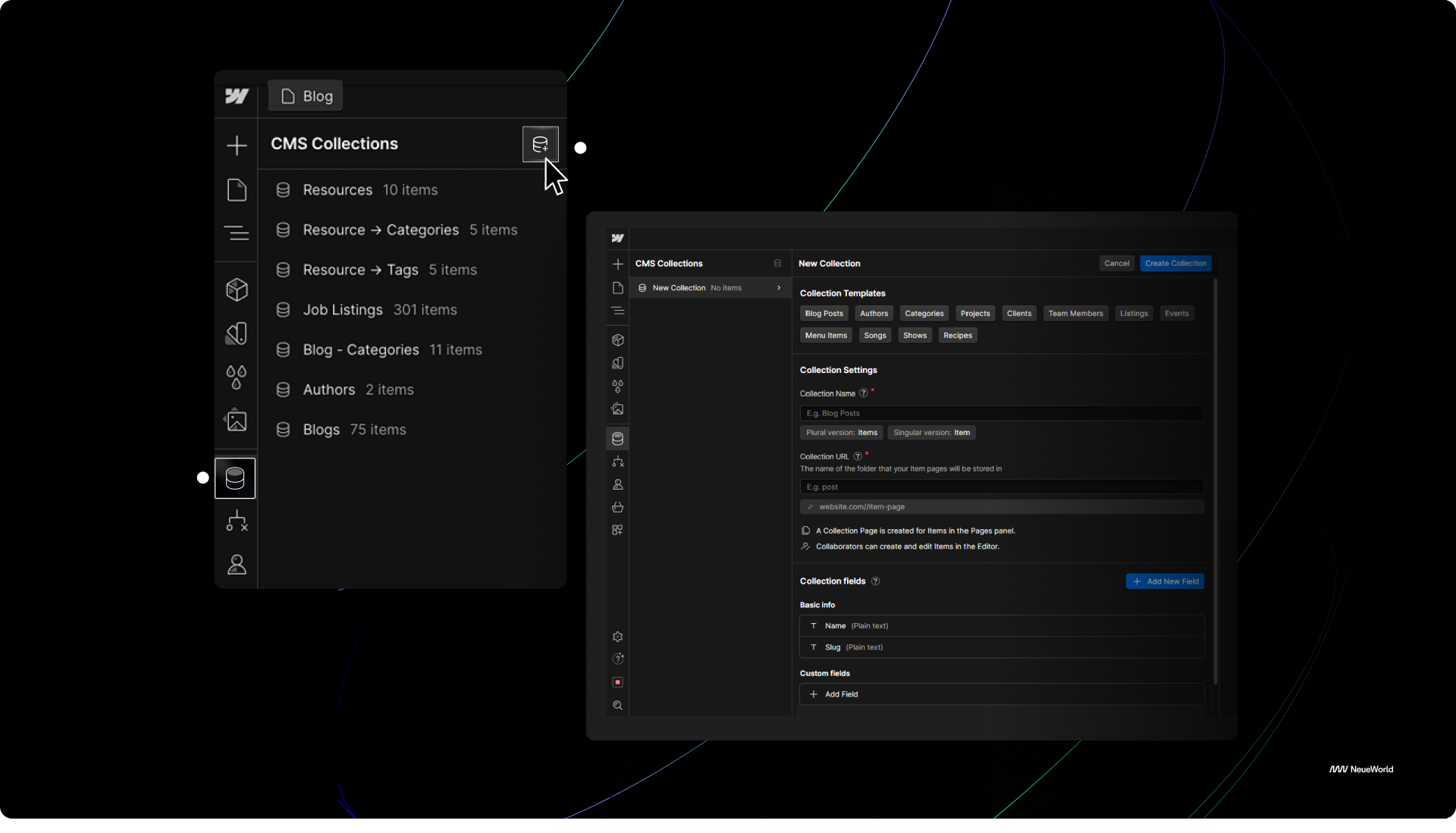
2. Create a Blog CMS Collection
This is your blog’s backend. Webflow’s CMS lets you define custom fields for your blog content, think of it like creating your own WordPress, but from scratch and fully visual.
Here’s what to include in your blog CMS collection:
- Post Title
- Slug (URL)
- Main Image
- Category (Reference Field)
- Author (Reference Field)
- Post Body (Rich Text)
- Published Date
- Meta Title / Meta Description (for SEO)
Once your structure is set, you can start adding content directly into the CMS panel.
3. Design Your Blog Post Template
Webflow automatically creates a Collection Page for each CMS item. This is where you design how each blog post will look using dynamic fields.
You can pull in fields like:
- Title (bound to H1)
- Featured image
- Rich text body
- Author name
- Post date
- Category tag
Style these like you would any other Webflow page. This layout will automatically apply to every new post you add in the CMS.
4. Add Rich Text Styling
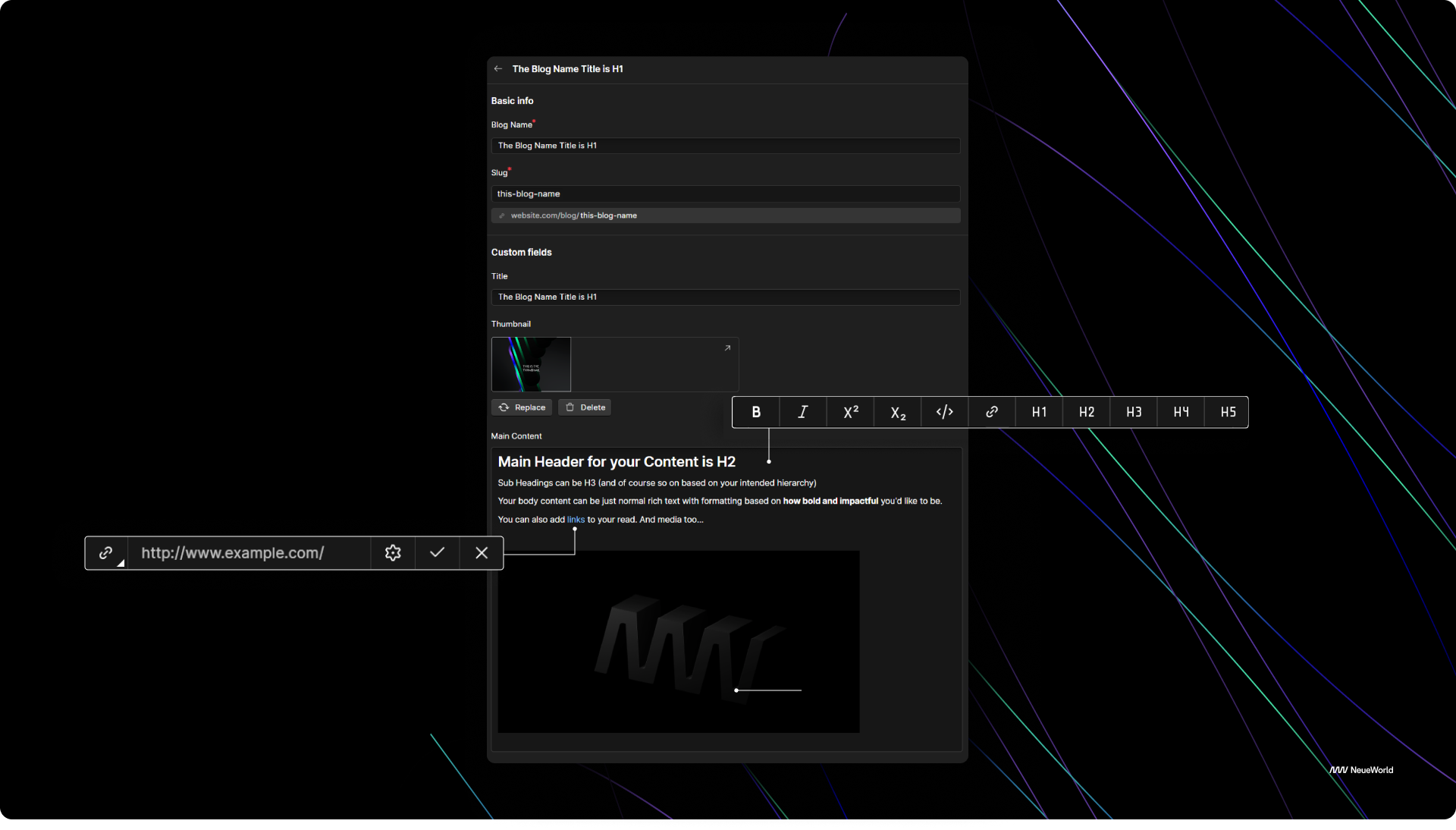
Webflow lets you define custom styles for Rich Text fields, which power your blog content. This is important because without it, your text will look unstyled.
Here’s how to do it:
- Add a Rich Text block to your template
- Select the block → click the paintbrush icon
- Apply styles to paragraphs, headings, quotes, bullet lists, links, etc.
This ensures consistency across all your posts, especially when multiple authors are involved.
5. Link Blog Posts to Your Homepage
You want your blog posts to be visible beyond the blog page.
Here’s how:
- Go to your homepage
- Add a Collection List element
- Connect it to your blog CMS
- Filter by “published” or a specific category if needed
- Show fields like post title, thumbnail, and short description
- Link each item to the full post page
This turns your homepage into a dynamic content hub.
6. Set Up Your Blog Archive Page
You’ll also want a central page where all blog posts live. This could be 'yoursite.com/blog'.
Steps:
- Create a new static page called “Blog”
- Add a Collection List bound to the blog CMS
- Use pagination if needed
- Add filters (like newest first)
- Include a sidebar for categories or featured posts
7. Add Categories and Filters
To allow readers to filter content:
- Go to your blog CMS
- Add a Reference Field called “Category”
- Create a new CMS Collection for Categories
- Add the relevant categories (e.g., Branding, Tutorials, UX)
- Link each blog post to a category
- On your archive page, display filter buttons or a dropdown using those categories
For multi-tag filters, you can also use a Multi-Reference Field called “Tags.”
Want to see how it works? This Webflow University tutorial covers CMS filtering with actual examples.
8. Optional: Add Author Pages
If you have more than one writer, build a CMS Collection for Authors with:
- Name
- Bio
- Profile Image
- Social links
- Author slug
Then link each blog post to its author using a Reference Field. This lets you create personalized author pages automatically.
Bonus: Tools That Help
- Webflow University – Free, no-BS video lessons
- Finsweet Attributes – For filtering, search, and dynamic content display
- Jetboost.io – For advanced filtering and real-time search
- Udesly – For exporting to other platforms or WordPress
Publishing Your First Blog Post in Webflow
Once your blog structure is set up in Webflow CMS, it’s time actually to publish. This is where most first-time users hesitate, not because it’s hard, but because there are small steps you can miss that cost you clicks.
Here’s the correct flow:
1. Create a New CMS Item
In your Webflow project, go to your Blog CMS Collection and click “+ New Blog Post.”
Fill out all the necessary fields you defined earlier:
- Title
- Slug (URL)
- Post summary
- Author name
- Date
This is your content backbone.
2. Add Hero Image, Body Content, and Tags
- Upload a featured image. Make sure it’s appropriately sized (ideally 1200x630) and compressed.
- Paste in your blog body text. You can format headings, links, blockquotes, and add inline images or videos.
- Add categories or tags to help filter posts later, which is helpful for both UX and SEO.
Tip: Use headings logically (H1 > H2 > H3) to help with both readability and Google’s crawl structure.
3. Preview and Publish
Click Preview to see how the post renders on desktop, tablet, and mobile.
Fix any layout issues now, not after your audience flags them.
Once satisfied, hit Publish. The post goes live instantly unless you schedule it.
4. Schedule Future Posts
Webflow doesn’t have native scheduling yet. But there’s a workaround:
- Use tools like Make (formerly Integromat) or Zapier to auto-publish based on a “Scheduled Date” CMS field.
- Alternatively, publish manually at your chosen time.
5. Edit Live Posts Anytime
Mistakes happen. Webflow makes it easy to fix content after publishing.
- Go to the live post in the CMS
- Click Edit
- Make changes
- Hit Publish again to update
Edits take effect instantly, eliminating the need to redeploy the entire site.
Common Mistakes to Avoid
The beauty of Webflow is that it gives you control. The risk is that it also gives you too much freedom. Here are the mistakes that quietly break most beginner blogs and how to avoid them.
First, no structure. Treating your blog like a stream of one-off pages with no CMS setup means every post becomes manual work. You lose the power of scalability, filtering, and dynamic layouts. Blogs need a solid foundation, starting with a CMS collection, not a blank canvas.
Second, using Webflow like Notion. Don’t build static blog posts like they’re notes or documents. Webflow’s CMS is designed for a reason: use it to manage content dynamically, set templates, and future-proof your process.
Third, ignoring SEO. Just because Webflow is visual doesn’t mean you skip search optimization. Set your meta tags. Use clean slugs. Add alt text. Without it, even your best posts will sit in silence, unread and unranked.
Fourth, isolating your blog from your main site. If readers finish a post and can’t explore your product, sign up, or go deeper, they’ll leave. Your blog should feed your funnel, not live on an island.
Fifth, no lead capture. If your blog doesn’t offer readers a next step, such as a newsletter signup, a free resource, or a form submission, you’re wasting attention. Use CTAs and forms. Make every post a gateway, not a dead end.
Most of these mistakes don’t break your blog on day one. They bleed it slowly. Fixing them early builds a system that scales, ranks, and converts.
Conclusion
Webflow isn’t just a design tool. It’s a system for content that grows with you. When you set up your blog properly using the CMS, SEO features, and dynamic templates, you’re not just publishing posts. You’re building a publishing engine.
The best time to start your blog isn’t when everything’s perfect. It’s when you’re ready to scale your voice. To teach, sell, lead, or share consistently and without friction. And when your platform doesn’t get in the way, your content gets the attention it deserves.
If you need help setting it up the right way, Neue World works with startups, agencies, and growing teams to build fast, scalable Webflow blogs. You bring the voice, we’ll make the system.
FAQs About Blogging with Webflow
Can you use Webflow for blogging?
Yes. Webflow has a powerful CMS that supports dynamic blog content, tags, categories, author fields, and more.
Is Webflow good for SEO?
Yes. Webflow gives you complete control over meta titles, descriptions, slugs, alt text, structured data, and page speed, everything Google cares about.
Does Webflow support dynamic blog content?
Yes. You can create CMS Collections for posts, authors, tags, and categories, and dynamically connect them to custom-designed pages. You don’t have to rebuild layouts each time.